Work From Home in a Tiny House: Professional Office Setups That Actually Work
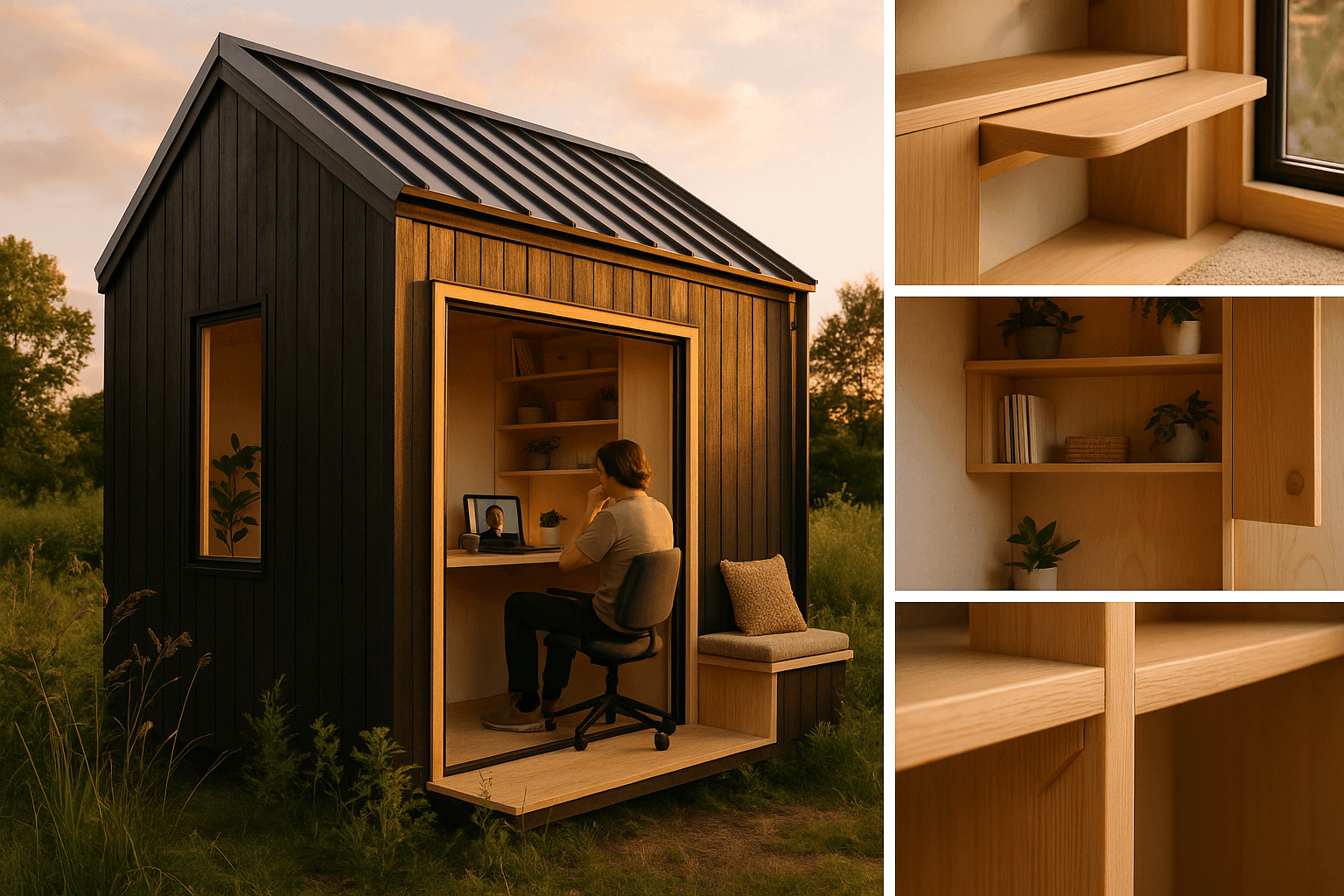
Working from home in a tiny house can feel spacious and professional—if your workspace is designed like a system, not squeezed into whatever corner is left.
The secret isn't finding more room. It's creating the right desk zone, controlling your camera background, managing echo, and ensuring internet you can trust. This guide shows you four proven office layouts, plus the exact tweaks that work best in real tiny homes.
When you're ready to design, use our AI tool to generate WFH-friendly floor plans with built-in desks, router placement, and camera-safe backgrounds.
Pick your tiny house office type
Your best setup depends on how many video calls you take, how many hours you work, and whether you share the space.
| Your reality | Best office type | Why it works |
|---|---|---|
| Need to "shut off" work mode | Murphy desk zone | Folds away for instant work/life separation |
| Daily video calls | Under-loft office | Best camera angles, lighting, and ergonomics |
| Short work sessions, prefer privacy | Loft office | Feels separate, but requires careful planning |
| Two people working from home | Split zone setup | Reduces noise conflicts and call overlaps |
Setup A: Murphy desk zone (best for work/life balance)
A fold-down desk is the fastest way to prevent your tiny house from feeling like an office 24/7.
Smart placement:
- Choose a wall with easy power access
- Avoid the fridge wall (noise transfer)
- Orient so your camera faces a clean wall, not the kitchen
Professional essentials:
- Work surface: minimum 24" deep x 36-48" wide (27-30" depth is better for monitor distance)
- Chair that tucks completely under
- Closed storage above for one-minute resets
- Cable management to keep cords off walkways
Design tip: Use our AI tool to generate a Murphy desk layout with "48-inch wide fold-down desk, closed storage above, Ethernet outlet at desk height."
Setup B: Under-loft office (most ergonomic)
The space under a sleeping loft creates the most normal-feeling office you'll have in 250-400 square feet.
Why it works:
- Real desk depth (27-30") without blocking walkways
- Dedicated background wall for video calls
- Add a curtain to instantly hide the rest of your home
Layout rules:
- Plan 30" clearance behind your chair
- Keep desk off the "noisy wall" (usually where appliances live)
- Create a simple backdrop—clean wall or organized shelf
Marketplace tip: Look for listings mentioning "built-in desk under loft" or "pre-wired Ethernet."
Setup C: Loft office (proceed with caution)
A loft office can work—but it's easy to end up with neck pain, bad lighting, and awkward camera angles.
When it makes sense:
- You work shorter sessions
- Comfortable headroom when seated
- Good ventilation (lofts trap heat)
Make it work:
- Use laptop stand + external keyboard/mouse
- Invest in a quality headset
- Add soft lighting at face height
Smart backup: Include a ground-floor call spot in your design for important meetings.
Setup D: Two-person split (couples and roommates)
Two adults on calls in one tiny home requires zones, not just desks.
Effective layout:
- Person 1: under-loft desk (primary call station)
- Person 2: Murphy desk or convertible dinette
- Partition so only one person appears on camera
House rules that work:
- Block "quiet hours" for overlapping calls
- No appliance use during calls
- Quick pre-call reset protocol
Desk placement that prevents cramped feelings
Tiny homes amplify placement mistakes. Follow these rules:
Size for real work:
- Minimum: 24" deep x 36-48" wide
- Better: 27-30" depth for proper monitor distance
Protect walkways:
- Maintain 30" clearance behind/beside your chair
- Choose chairs that tuck completely under
Control sightlines:
- Face a controlled backdrop, not kitchen chaos
- Keep high-traffic areas out of your peripheral vision
Choose storage that closes: Productivity improves when you can instantly reset your space with Murphy desks, curtains, or cabinet doors.
Look professional on video calls
Camera presence comes from height, lighting, and background control—not square footage.
Camera basics:
- External webcam at eye level
- Monitor height at eye level
- Laptop stand + external keyboard if using a laptop
Lighting that works:
- Face a window or soft light source
- Add gentle fill light from a lamp
- Avoid bright windows behind you
Background control (three tiers):
- Real wall with organized shelf
- Curtain divider
- Murphy desk that closes
One-minute reset:
- Clear counters visible behind you
- Close cabinet doors
- Hide laundry or bedding
- Adjust lighting and switch to headset
Sound control in small spaces
Focus on reducing echo and improving mic pickup rather than full soundproofing.
Kill echo with soft surfaces:
- Area rug or runner
- Curtains near your desk
- Soft wall panel behind your speaking position
Reduce noise leaks:
- Add door sweeps and weatherstripping
- Avoid placing desk near fridge, water pump, or HVAC equipment
Upgrade your mic:
- Headset mic (closest = clearest)
- Directional USB mic placed close and aimed correctly
Rule: The closer your mic, the less your room acoustics matter.
Internet that won't fail mid-call
Stability matters more than peak speed for video calls.
Router placement:
- Central and high position
- Away from appliances and metal objects
- Not buried in cabinets unless properly vented
Run Ethernet to your desk: Hardwired connection = most stable calls. If building or renovating, add this while walls are open.
Rural internet reality check:
| Option | Good for | Watch out for |
|---|---|---|
| Cable/DSL | Daily consistency | Rural availability |
| Fixed wireless | Rural coverage | Weather sensitivity |
| LTE/5G home | Quick setup | Variable upload speeds |
| Starlink | Remote locations | Latency variations |
Backup plan:
- Phone hotspot ready
- Small UPS battery for modem/router
Power and comfort details
Tiny houses punish messy power and uncomfortable airflow.
Electrical planning:
- Dedicated outlets for laptop/monitor and modem/router
- Quality surge protection
- Cable routing that doesn't cross walkways
Climate control:
- Place desk out of direct airflow
- Consider noise from heating/cooling during calls
Design your WFH-ready tiny house
Use our AI design tool to create office-focused floor plans:
Effective prompts:
- "Design a Murphy desk setup with camera-safe background wall"
- "Create under-loft office with 30-inch chair clearance"
- "Add router cabinet and Ethernet run to desk area"
Shop with intention: Browse our marketplace for listings featuring built-in desks, pre-wired Ethernet, and partition-ready zones.
Common questions
Where do I put a desk with no spare room? Use a Murphy desk or convert your dinette, but prioritize walls where your camera faces a clean background.
Is a loft office worth it? For occasional use, yes. For daily calls, under-loft ground offices look more professional and are easier to light properly.
Murphy vs built-in desk?
- Murphy: better work/life separation
- Built-in: better for long work sessions
Generate both layouts and compare.
Minimum desk size that feels legitimate? 24" deep x 36-48" wide minimum. Add eye-level camera and controlled background—these matter more than size.
How do I stop looking cramped on video? Eye-level camera, face toward light, control your background. Size matters less than setup.
Simple backup for internet outages? Phone hotspot plus small UPS battery backup for your modem and router.
Ready to design a workspace that works? Our AI tool generates WFH-optimized tiny house layouts in minutes—complete with desk placement, camera angles, and tech requirements. Start designing: tinyhouses.to/design